
Tiandy
Easy7 CMS Service
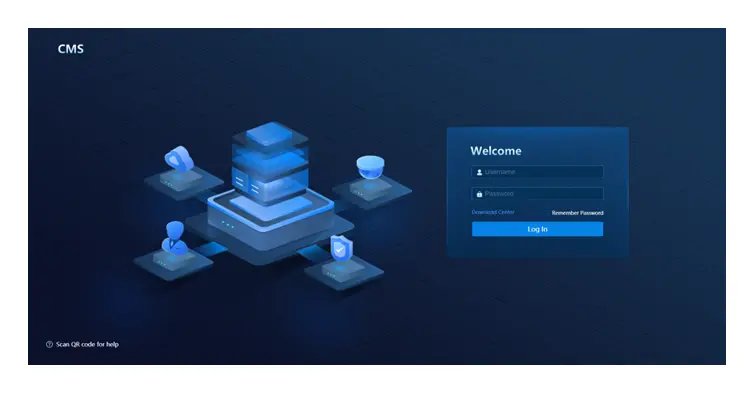
Easy7 CMS Service(Windows)Tiandy Easy7 CMS Service(Windows) video yönetim yazılımı (CMS).
Üretici veri sayfasından derlenmiştir; proje öncesi güncel datasheet ile teyit edilmesi önerilir.
| Ürün (Malzeme) Kodu | 1D.20080.020504 |
|---|
| Device Management | Supports management of common monitoring application equipment such as hard disk recorders,thermal imaging equipment,binocular cameras,warning equipment,panoramic cameras,etc; Supports management of face capture machines, face recognition N VR and other fa ce application device s; Supports the management of vehicle application equipment such as vehicle capture cameras ,traffic hosts, and central control br akes; Supports management of access control application devices such as face recognition; |
|---|---|
| Permission Management | Supports assigning different permissions to users to manage their access rights for device operation, viewing, and modificatio n. Allows restriction of user access times to the platform and supports IP/IP segment whitelist controls for platform log in.; Supports assigning different user levels, where hi-glheevrel users are granted priority access fo device control .; The management platform allows an administrator account to modify the permissions of users after they have been assigned . |
| Portal Management | Supports customization, allowing for the reordering of functional components and the sequenc of features within group s. |
| Video Surveillance (Plugin-Based) | Video Live View Supports tree-structured device display (including quantity and online status statistics); fu search; batch parameter configuration (resolution, bitrate, stream type, compression method) online status display; and host informati on. Supports single-screen and multi-screen (1, 4, 6, 9, 16, 25, 36, 49, 64 screens, customizable 100 screens) live video viewing, s-pslcirteen layout configuration, view saving, timed switching,; single-monitor switching, group switching for video previe |
| Video Surveillance (Plug-in Free ) | Video Live View Supports tree-structured device display (including bus quantity and statistics), fuzzy search expand/collapse functions for the tree list. Displays device online status and associated ho information. Enables multi-screen video display, video connection/disconnection, volume control, -sfcurlelen mode, main/sub -stream switching, singl-echannel snapshot capture, and recording. Supports one-way intercom with IP cameras. Provides PTZ control including directional movement, zoom (digi |
|---|
| Alarm Management | You can define specific alarm events of interest by configuring their basic information, tri conditions, and linkage action s. Basic Information: Set the alarm name, time, and descript ion. Trigger Conditions: Select alarm type and severity level as triggering criteria. Linkage Actions: Add response actions via intuitive cards (e.g., "Start Rec–o rednianbgl"i ng direct video review within the alarm query interfac e). User Notification: When emai-llinked actions are configured, users receive inst |
|---|---|
| Electronic Map | Locate resource points on the map to view their geographical position, online/offline status instantly preview live vid eo. Search for device information within any us-derrawn area on the map. Save frequently accessed points to a personal favorites list for quick navigation and easy a to key locations . |
| Face management | Users can manage target libraries and facial photos, with the flexibility to make dynamic adjustments based on real-time requirements.; Facealarm Supports multiple face alarm types,including surveillance alarm,stranger alarm,frequency alarm,etc.; Portrait Search Supports multiple search modes including historical retrieval, image comparison, and batch comparison. Face Trajectory enables fac-ebased search functionality. By selecting a facial photo, users ca efficiently query all capture records o |
| Vehicle Management | Vehicle capture Capture passing vehicles and query vehicles based on license plate number, vehicle body c olo vehicle type, passing location, passing time, etc.; Vehicle trajectori es Display the checkpoint location and time that the vehicle passed through , and mark thecheckpoint location on the electronic ma p; Blacklist Monitorin g Generates immediate alerts when vehicles on the watchlist are detected, displaying license p number, captured images, timestamp, and location data . |
| Access control | Monitor real-time online/door status of all PAD devices and perform remote door release operations. View live personnel entry/exit records and search historical access data with full tra ceabil; Access Control Permission Management Create, modify, delete, and query access control permission groups. Supports establishing fi permission groups where personnel and access points are assigned to corresponding groups, then automatically synchronized to door control devices. Supports cernetdial types in |
| Smart Search | Smart Human & Vehicle Search; Query structured data including faces, human bodies, motor vehicles, and -nmoontor vehicles by; capture time and location. All search results can be exported for further a nalysis. |
|---|---|
| Face Trajectory Query | e; This feature enables fac-beased search functionality. By submitting a facial photo, users can; efficiently retrieve all capture records of the individual and generate their movement tr aj |
| Vehicle Trajectory Quer y | b; This feature enables license pl-abtaesed search functionality. By entering a license plate num; users can retrieve all transit records including time and location data, with corresponding; checkpoint positions displayed and annotated on the electronic pm.a |
| Passenger Flow Management | Passenger Flow Area Management; d c; Configure passenger flow areas with details including: area name, area code, counting metho; (in/out flow vs. area occupancy), assigned devices (multiple selection supported), map sele; Set maximum occupancy limits for areas and configure alarm linkages for o-vleirmit situation s. |
| Real-Time Passenger Flow | n c; Displays rea-ltime passenger flow data for each monitored area, updated every minute, enabli; users to maintain continuous awareness of crowd statu s.; For areas configured with the "in/out flow" counting method, shows the number of people; entering, leaving, and the current occupan cy.; For areas using the "area occupancy" counting method, displays the current number of people; Supports quick search by area name; clicking on a passenger flow area card automatically lo; and highlights the c |
|---|
| System Maintenance | Device Status; a; Configure server monitoring metrics (CPU/Disk/Memory/Network) with customizable thresholds; View online status of cameras, checkpoints, and smart access control termi nals.; For servers: Monitor online status, packet transmission/reception, CPU usage, memory utiliz; For NVRs: Track online status, CPU load, memory consumption, and storage capacity usa ge.; Configure cameras to be inspected and set patrol schedul es.; View patrol records including recording status, schedule compl |
|---|
| Data Backup | System Data Backup & Restore; Configure data content, backup frequency, and schedule. Also supports immediate -odnemand; Export backup files to local storage, or import backup files from local devices.; Select specific backup records to perform data restorat ion. |
|---|
| Device Configuration Export | c; Authorized users with device management export permissions can directly export encoded devi |
|---|
| Log Query | Operation Log; i; Supports querying and exporting operation logs, with customizable columns for expo rt.; Displays resource type, operation type, operating user, operation level, operation time, cl; Query alarm and event logs generated by devices . |
|---|
| APP | International Version Applicati on; b; Access live video, playback recordings, and receive alarm notifications directly on your mo |
|---|
Veri sayfası ve kullanım kılavuzları.
Easy7 CMS Service(Windows) hakkında kısa yanıtlar.
Formu doldurun, Easy7 CMS Service(Windows) için fiyat ve teslim süresini iletelim.


